AI Crawlers and robots.txt: What Should You Allow for AI Search?
 By YW Digital Edge
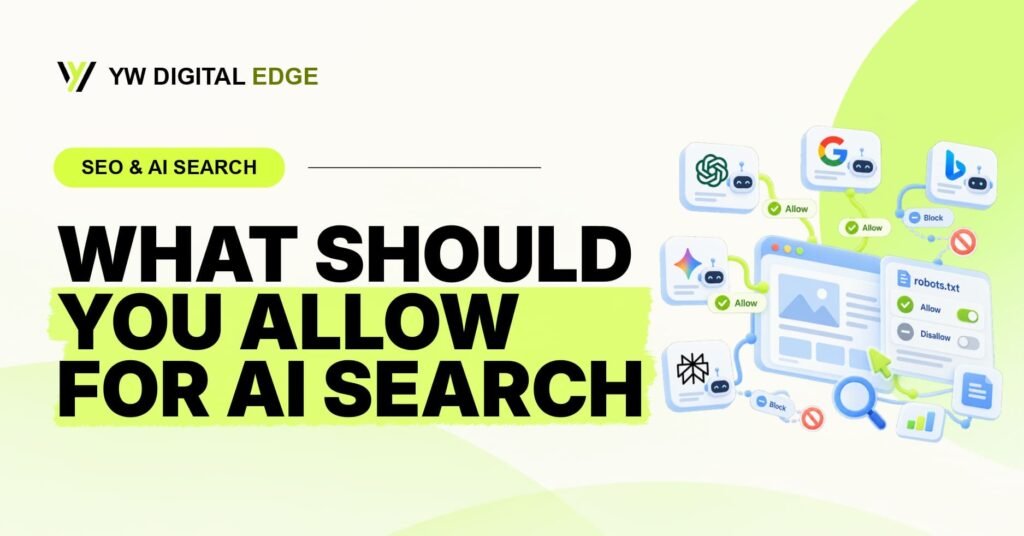
A website can be fully accessible to Google and still limit access to other AI-powered search platforms.
ChatGPT, Claude, Perplexity and other services use their own crawlers or user agents to discover, retrieve and access content from the web. Some platforms also separate search-related crawling from crawling associated with AI model training.
For website owners, this creates an important distinction: allowing AI search access and allowing AI training are not always the same decision.
Understanding which crawlers perform each function can help you configure robots.txt according to how you want your website content to be accessed.
What is an AI Crawler?
An AI crawler is a web crawler or user agent used by an AI platform to access content on websites.
Depending on the platform, a crawler may be used to:
- discover content for search;
- retrieve a page in response to a user’s request;
- provide current information to an AI system;
- support AI-powered search results;
- collect content that may contribute to model development or training.
These functions can use different crawlers.
OpenAI, for example, separates OAI-SearchBot, which supports ChatGPT Search, from GPTBot, which may access content for generative AI model training.
Anthropic also provides separate controls for Claude search, user-requested retrieval and model training.
This distinction is important when deciding which user agents to allow in robots.txt.
Search Crawlers and Training Crawlers Are Different
For a business website, crawler controls are easier to understand when they are grouped by purpose.
| Crawler / Control | Platform | Main Purpose |
|---|---|---|
Googlebot | Google Search and Search features | |
OAI-SearchBot | OpenAI | ChatGPT Search |
GPTBot | OpenAI | Model training |
Claude-SearchBot | Anthropic | Claude Search |
Claude-User | Anthropic | User-requested retrieval |
ClaudeBot | Anthropic | Model training |
PerplexityBot | Perplexity | Perplexity Search |
Perplexity-User | Perplexity | User-requested retrieval |
Applebot | Apple | Apple search and discovery |
Google-Extended | Controls specified Gemini training and grounding uses | |
Applebot-Extended | Apple | Controls model-training use of Applebot-crawled data |
Allowing your website to participate in search does not always require allowing the same content to be used for model training.
Several major AI platforms provide separate controls for these purposes.
ChatGPT: OAI-SearchBot vs GPTBot
OpenAI provides separate user agents for search and model training.
OAI-SearchBot
OAI-SearchBot is used to surface websites in ChatGPT’s search features.
OpenAI recommends allowing it if you want your website to be eligible to appear in ChatGPT Search results.
A robots.txt rule allowing it can look like this:
User-agent: OAI-SearchBot
Allow: /
GPTBot
GPTBot has a different purpose.
According to OpenAI’s crawler documentation, GPTBot is used to crawl content that may contribute to improving and training OpenAI’s generative AI foundation models.
You can therefore manage OAI-SearchBot and GPTBot separately.
For example:
User-agent: OAI-SearchBot
Allow: /

User-agent: GPTBot
Disallow: /
This configuration allows ChatGPT Search crawling while blocking GPTBot.
What About ChatGPT-User?
You may also encounter:
ChatGPT-User
This user agent is associated with certain user-initiated actions in ChatGPT and Custom GPTs. It is not the crawler used to determine whether content can appear in ChatGPT Search.
For ChatGPT Search visibility, OAI-SearchBot is the crawler to pay attention to.
Claude Uses Different Crawlers for Different Purposes
Anthropic also separates search, user-requested retrieval and model-training access.
Claude-SearchBot
Claude-SearchBot accesses web content to support search functionality for Claude users.
To allow it:
User-agent: Claude-SearchBot
Allow: /
Claude-User
Claude-User is associated with requests where a Claude user initiates access to a website.
To allow it:
User-agent: Claude-User
Allow: /
ClaudeBot
ClaudeBot is associated with accessing web content that may contribute to Anthropic’s model development and training.
Anthropic documents these different crawler purposes in its web crawler guidance.
A website that wants Claude search and retrieval access while blocking its training crawler could use:
User-agent: Claude-SearchBot
Allow: /

User-agent: Claude-User
Allow: /

User-agent: ClaudeBot
Disallow: /
This gives website owners separate control over search-related access and model-training access.
What About Perplexity?
Perplexity uses PerplexityBot to access web content for its search system.
To allow it:
User-agent: PerplexityBot
Allow: /
Perplexity also documents Perplexity-User for user-initiated fetching.
To allow both:
User-agent: PerplexityBot
Allow: /

User-agent: Perplexity-User
Allow: /
Crawler permissions can also be affected by CDN, firewall and bot-protection settings. A crawler allowed in robots.txt may still be unable to reach the website if another part of the infrastructure blocks it.
Google AI Search Works Differently
Google AI Overviews and AI Mode operate within the Google Search ecosystem.
You do not need to add a separate “AI Overview bot” to robots.txt.
Google explains that Googlebot is used for Google Search and related Search features.
For a public website that wants to participate in Google Search:
User-agent: Googlebot
Allow: /
This is also why technical SEO remains an important part of SEO for AI Search. Important website content still needs to be accessible and indexable to participate effectively in Google’s search ecosystem.
Google-Extended Is Not Googlebot
Google-Extended is a separate control from Googlebot.
It allows publishers to manage whether content Google has crawled may be used for specified Gemini model training and grounding purposes.
Importantly, Google-Extended does not affect inclusion or ranking in Google Search.
For example:
User-agent: Google-Extended
Disallow: /
does not have the same meaning as:
User-agent: Googlebot
Disallow: /
Blocking Googlebot can affect Google Search crawling.
Google-Extended controls separate AI-related uses of crawled content.
Apple Also Separates Search and Model Training Controls
Apple uses Applebot for search technology across experiences including Spotlight, Siri and Safari.
To allow Applebot:
User-agent: Applebot
Allow: /
Apple also provides Applebot-Extended.
Applebot-Extended does not crawl webpages itself. It controls whether data crawled by Applebot may be used to train Apple’s general-purpose foundation models.
Apple explains these controls in its Applebot documentation.
This allows search access and model-training permissions to be managed separately.
What Should a Business Website Allow?
Your robots.txt configuration should reflect how you want search engines and AI crawlers to access your website.
If your objective is broad public discoverability across traditional and AI-powered search, you may want search-related crawlers to access the public parts of your website.
| Objective | Crawler / Control to Review |
|---|---|
| Google Search and Google AI Search features | Googlebot |
| ChatGPT Search | OAI-SearchBot |
| Claude Search | Claude-SearchBot |
| Claude user-requested retrieval | Claude-User |
| Perplexity Search | PerplexityBot |
| Perplexity user-requested retrieval | Perplexity-User |
| Apple search experiences | Applebot |
| OpenAI model training | GPTBot |
| Anthropic model training | ClaudeBot |
| Specified Gemini training and grounding uses | Google-Extended |
| Apple model training | Applebot-Extended |
This lets you decide which forms of access fit your website and content policy.
Copy-and-Paste robots.txt for Broad AI Crawler Access
If you want your public website content to be accessible to major search, AI search, retrieval and training crawlers, the following configuration provides a practical starting point.
# Google Search
User-agent: Googlebot
Allow: /

# OpenAI - ChatGPT Search
User-agent: OAI-SearchBot
Allow: /

# OpenAI - Model Training
User-agent: GPTBot
Allow: /

# Anthropic - Claude Search
User-agent: Claude-SearchBot
Allow: /

# Anthropic - User-Requested Retrieval
User-agent: Claude-User
Allow: /

# Anthropic - Model Training
User-agent: ClaudeBot
Allow: /

# Perplexity Search
User-agent: PerplexityBot
Allow: /

# Perplexity - User-Requested Retrieval
User-agent: Perplexity-User
Allow: /

# Apple Search
User-agent: Applebot
Allow: /

# Google - Specified Gemini Uses
User-agent: Google-Extended
Allow: /

# Apple - Model Training
User-agent: Applebot-Extended
Allow: /

# General Crawlers / WordPress
User-agent: *
Disallow: /wp-admin/
Allow: /wp-admin/admin-ajax.php

# Sitemap
Sitemap: https://example.com/sitemap_index.xml
Replace:
https://example.com/sitemap_index.xml
with your website’s actual sitemap URL.
Review your existing robots.txt before adding these rules, especially if the website already contains instructions for private directories, ecommerce functions, search parameters or specific crawlers.
If you are unfamiliar with User-agent, Allow and Disallow, this robots.txt guide for website owners explains how the main directives work.
Do You Need to Explicitly Allow Every AI Crawler?
A robots.txt file can already provide general crawler instructions through:
User-agent: *For example:
User-agent: *
Disallow: /wp-admin/
Allow: /wp-admin/admin-ajax.php
The * applies general rules to crawlers that match this group.
Specific user-agent groups are useful when you want to give individual crawlers different instructions.
For example, you may want AI search crawling available while applying a different policy to model-training crawlers.
This is where crawler-specific rules become useful.
Can You Allow AI Search but Block AI Training?
Yes, several major platforms provide separate controls.
OpenAI separates OAI-SearchBot from GPTBot, while Anthropic separates its search and user-requested crawlers from ClaudeBot. Apple provides Applebot-Extended, and Google provides Google-Extended for specified AI uses.
For example:
# Allow ChatGPT Search
User-agent: OAI-SearchBot
Allow: /

# Block OpenAI Model Training
User-agent: GPTBot
Disallow: /

# Allow Claude Search
User-agent: Claude-SearchBot
Allow: /

# Allow Claude User Retrieval
User-agent: Claude-User
Allow: /

# Block Anthropic Model Training
User-agent: ClaudeBot
Disallow: /

# Allow Perplexity Search
User-agent: PerplexityBot
Allow: /

# Allow Perplexity User Retrieval
User-agent: Perplexity-User
Allow: /

# Allow Google Search
User-agent: Googlebot
Allow: /

# Block Specified Gemini Uses
User-agent: Google-Extended
Disallow: /

# Allow Apple Search
User-agent: Applebot
Allow: /

# Block Apple Model Training
User-agent: Applebot-Extended
Disallow: /
Training crawler access can be managed separately from search visibility, allowing you to decide whether your content is available for model training.
Be Careful With User-agent: *
A broad rule can affect multiple crawlers.
For example:
User-agent: *
Disallow: /
This tells compliant crawlers covered by the rule not to crawl the website.
If your website depends on organic or AI-powered discovery, this is an important rule to check.
Specific user-agent groups can also interact differently with general * rules depending on how a crawler interprets robots.txt. Google, for example, uses the most specific matching user-agent group when processing its robots.txt rules.
Review robots.txt as a complete file before adding or changing crawler-specific instructions.
robots.txt Is Only One Layer of Crawler Access
Adding:
User-agent: OAI-SearchBot
Allow: /
does not automatically mean the crawler can reach the website.
Access may also be affected by:
- Cloudflare or another CDN;
- web application firewalls;
- server-level security rules;
- bot protection systems;
- authentication;
- rate limits;
- HTTP errors;
- other infrastructure restrictions.
For example, OpenAI publishes crawler information and IP ranges as part of its bot documentation.
If robots.txt allows a crawler but your firewall rejects its requests, the crawler may still be unable to access the page.
Allowing an AI Crawler Does Not Guarantee a Citation
Crawler access makes your content available for discovery and retrieval. It does not guarantee that an AI system will select, mention or cite the website.
Once a crawler can access a page, other factors can influence whether the content is useful for a particular query, including:
- relevance;
- content quality;
- factual accuracy;
- clarity;
- authority and trust signals;
- page structure;
- freshness where relevant;
- original or useful information.
A useful way to think about the process is:
Access → Discovery → Retrieval → Selection → Visibility
robots.txt affects the beginning of that process. Content quality, relevance and authority become important as search and AI systems decide which sources to use.
How to Check Your Current AI Crawler Rules
Open:
https://yourdomain.com/robots.txt
Look for user agents such as:
OAI-SearchBot
GPTBot
Claude-SearchBot
Claude-User
ClaudeBot
PerplexityBot
Perplexity-User
Google-Extended
Applebot
Applebot-Extended
Check whether each crawler is:
- explicitly allowed;
- explicitly disallowed;
- covered by a broader
User-agent: *rule; - affected by another crawler-specific rule.
You should also review your CDN, firewall or security configuration if an important crawler appears to be allowed in robots.txt but still cannot reach the website.
For WordPress websites using an SEO plugin such as Rank Math, robots.txt can be edited from:
WordPress Dashboard → Rank Math SEO → General Settings → Edit robots.txt
If the Edit robots.txt option is not available, switch Rank Math to Advanced Mode and check the General Settings again.
AI-powered platforms use different crawlers for search, user-requested retrieval and model training.
A business that wants broad AI search visibility can keep its important public content accessible to search-related crawlers such as OAI-SearchBot, Claude-SearchBot, PerplexityBot and Googlebot.
Training-related access can then be managed separately through controls such as GPTBot, ClaudeBot, Google-Extended and Applebot-Extended.
robots.txt gives you a practical way to define those permissions, while your website’s technical accessibility, content quality and relevance determine what happens after a crawler reaches the page.