
AI Max for Google Search Ads: Which Settings Should You Turn On?
 By YW Digital Edge
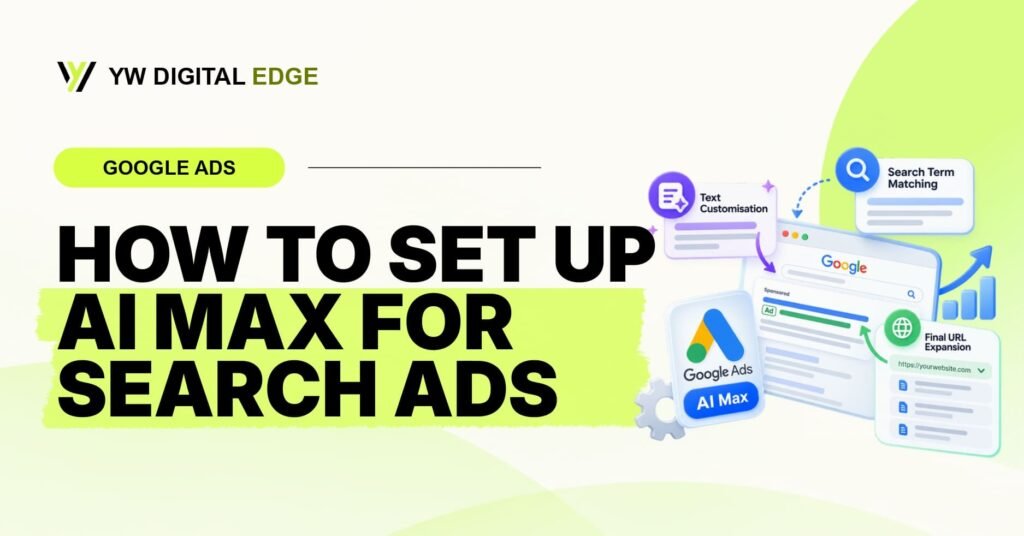
AI Max gives Google more flexibility within an existing Search campaign. Depending on the settings enabled, Google can match ads to additional relevant searches, generate ad text and select landing pages that may better suit a user’s query.
These capabilities can influence which searches trigger an ad, what potential customers see and where they arrive after clicking.
For advertisers, the important decision is how much flexibility to allow within each part of the campaign. The answer depends on conversion tracking, landing-page quality, advertising requirements and the level of control needed over campaign messaging.
This guide explains the main AI Max settings, what to review before enabling them and how to evaluate their performance.
What Is AI Max for Google Search Ads?
AI Max is a collection of AI-powered features available within Google Search campaigns. It expands the capabilities of existing Search campaigns through search term matching and asset optimisation.
Advertisers can use AI Max to reach additional relevant searches and adapt ad messaging to user intent. Final URL expansion can also allow Google to select a more relevant page from the advertiser’s website.
AI Max operates within Search campaigns and uses existing campaign information, including keywords, ads, landing pages and conversion signals.
Its main controls cover several areas:
| Setting | What It Does | What Advertisers Should Review |
|---|---|---|
| Search term matching | Expands matching to additional relevant searches | Search intent, conversion quality and negative keywords |
| Text customisation | Generates additional ad headlines and descriptions | Message accuracy, brand requirements and asset performance |
| Final URL expansion | Allows Google to select other relevant landing pages | Page relevance, conversion paths and website content |
| URL controls | Restricts or guides eligible landing pages | Pages suitable for paid traffic |
| Brand controls | Provides controls related to branded searches | Brand strategy and campaign targeting |
These features can be evaluated individually according to the campaign’s requirements and the controls available in Google Ads.
How to Configure AI Max in Google Ads
AI Max settings are available within eligible Google Search campaigns.
To locate them, open the relevant Search campaign in Google Ads and review its campaign settings for AI Max.
The exact interface may vary as Google updates its advertising platform.
Before making changes, review the campaign’s current performance. Look at conversion tracking, search terms, existing ads, landing pages and the quality of leads or sales being generated.
This provides a baseline for evaluating whether additional automation improves performance.
1. Search Term Matching: When Should You Enable It?
Search term matching allows Google to find additional relevant searches beyond those covered by the campaign’s existing keyword targeting.
Google uses information from the campaign, including keywords, ads, landing pages and other signals, to identify potential opportunities.
For example, a furniture retailer may be targeting:
ergonomic office chair
A potential customer searches:
adjustable desk chair with lumbar support for home office
AI Max may identify this search as relevant based on the advertiser’s products, campaign information and landing-page content.
This can help advertisers discover valuable searches that were not included in the original keyword list.
Review Conversion Tracking First
Search term matching can expand the range of searches a campaign reaches. Reliable conversion measurement is important when evaluating the value of that additional traffic.
For a lead-generation campaign, meaningful conversions may include qualified enquiries, appointment bookings or confirmed consultations.
For ecommerce, completed purchases and their associated values may provide more useful performance signals.
If a campaign records every page view or minor interaction as a primary conversion, the reported results may provide a weak indication of actual business performance.
Before testing expanded matching, confirm that the conversion actions used for optimisation represent meaningful outcomes.
Monitor Search Term Quality
Review the Search Terms report after enabling AI Max.
Look for searches that indicate relevant customer needs, along with themes that do not match the products or services being advertised.
For example, a retailer selling new office furniture may want to exclude searches focused on second-hand furniture or repair services if those enquiries are outside its offering.
Negative keywords and other available targeting controls remain useful for maintaining campaign relevance.
When to consider enabling it: Search term matching is worth testing when conversion tracking is reliable, campaign objectives are clear and the advertiser can regularly review search quality.
2. Text Customisation: What Should You Review?
Text customisation allows Google to generate additional ad headlines and descriptions using information from the advertiser’s campaign and website.
The purpose is to create messaging that better reflects relevant searches.
Consider a retailer advertising coffee machines.
Its existing ad may highlight:
Coffee Machines for Home and Office
Someone searching for a compact espresso machine may have a more specific requirement. Text customisation can help Google develop ad messaging related to that search.
The generated wording depends on the information available to Google’s systems.
Keep Website Information Accurate
When Google uses website information to support automated ad creation, the accuracy of that information becomes important.
Review the pages associated with the campaign for:
- Outdated prices or promotions
- Incorrect product specifications
- Unavailable products or services
- Unsupported performance claims
- Inconsistent delivery or warranty information
- Old descriptions that no longer reflect the offering
For example, if a product page still advertises a discontinued promotion, automated messaging based on that information could create inaccurate customer expectations.
Update important website content before increasing the use of generated advertising assets.
Review Generated Assets
Advertisers should monitor automatically created headlines and descriptions for accuracy, relevance and compliance with their advertising requirements.
A generated headline may be grammatically correct while placing emphasis on a feature that is not particularly important to customers.
Other assets may need attention because they use unsuitable wording or create expectations that the business cannot support.
When to consider enabling it: Text customisation can be useful when the website contains reliable information and the advertiser has a process for reviewing generated assets.
3. Final URL Expansion: Should Google Choose Your Landing Pages?
Final URL expansion allows Google to select a different landing page when it determines that another eligible page may better match the user’s search.
For example, an online retailer may normally direct its Search ads to a general coffee machine category page.
A customer searching for a specific espresso machine may be better served by a detailed product page.
If Final URL expansion is enabled and the page is eligible, Google may select that more specific destination.
This can improve the relevance of the landing-page experience when the website has well-organised product or service pages.
Review the Entire Website
A website may contain pages that are useful for organic visitors but unsuitable for paid advertising traffic.
Examples include:
- Expired promotional pages
- Discontinued product pages
- Outdated service information
- Career and recruitment pages
- Privacy and legal information
- Articles with limited commercial relevance
- Pages with broken or ineffective conversion paths
Before enabling Final URL expansion, review the pages Google may be able to select.
A useful question is whether each potential destination provides information relevant to the search and gives visitors an appropriate next step.
For ecommerce, this may involve product availability, specifications, pricing and purchasing functionality.
For lead generation, it may involve service details, enquiry forms, contact options and other information customers need before submitting an enquiry.
Use URL Controls
Google Ads provides URL controls that can help advertisers manage eligible landing pages.
URL exclusions can be used to prevent selected pages or sections from being chosen through Final URL expansion.
For example, a business may want to exclude:
/privacy-policy//careers//old-promotion/
Advertisers should also review any available URL inclusion controls and their applicability to the campaign.
The objective is to ensure that automated landing-page selection operates within a suitable set of destinations.
When to consider enabling it: Final URL expansion may be useful when a website has several relevant landing pages, accurate content and clear conversion paths. Campaigns with strict destination requirements need additional review.
4. Brand Controls and Advertising Requirements
Brand controls help advertisers manage how branded searches are handled within supported AI Max configurations.
Their usefulness depends on the campaign’s purpose.
For example, an advertiser may operate separate campaigns for its own brand and for general product-related searches.
The business may want to maintain that distinction when testing additional search matching.
Review the brand controls available in the campaign and confirm that they support the intended targeting strategy.
Check Pinned Ad Assets
Some advertisers pin specific headlines or descriptions in Responsive Search Ads because particular information must appear in a designated position.
This may involve:
- Mandatory legal or compliance wording
- Promotional conditions
- Location-specific information
- Approved brand messages
- Product or service restrictions
AI Max features, including Final URL expansion and automated text generation, can affect how ad assets and landing pages are selected.
Advertisers should review Google’s current feature restrictions and asset-serving behaviour before enabling combinations of settings that could affect required messaging.
Campaigns with mandatory advertising disclosures should be tested carefully to confirm that the required information is presented appropriately.
Should You Enable All AI Max Settings?
The appropriate AI Max configuration depends on the campaign’s existing structure, data quality and business requirements.
Consider a Search campaign with accurate conversion tracking, well-organised product categories, reliable landing pages and a history of meaningful conversions.
The advertiser may have a reasonable basis for testing additional matching and creative automation.
Now consider a campaign with incomplete conversion tracking, outdated landing pages and search terms that frequently attract irrelevant enquiries.
Those issues can make automated campaign decisions harder to evaluate.
Before enabling additional features, review the following areas.
| Campaign Area | Questions to Ask |
|---|---|
| Conversion tracking | Are meaningful business outcomes being measured? |
| Search terms | Is the campaign attracting relevant customer intent? |
| Ad messaging | Are existing ads accurate and aligned with the offering? |
| Landing pages | Are important pages current and suitable for paid traffic? |
| Brand requirements | Are there restrictions on messaging or targeting? |
| Performance data | Is there enough reliable information to evaluate changes? |
Advertisers can then decide which settings are suitable for testing.
Text customisation may be useful for campaigns with accurate website content and a reliable asset-review process.
Search term matching may be worth testing when conversion measurement and search-term monitoring are well established.
Final URL expansion deserves particular attention when a website contains many pages with different purposes or when campaigns require specific landing destinations.
How to Test AI Max With Google Ads Experiments
Google Ads supports experimentation for eligible Search campaigns, allowing advertisers to evaluate AI Max against an existing campaign configuration.
Experiments can help determine whether additional automation improves performance under comparable conditions.
Before starting a test, establish which outcomes matter to the business.
For lead generation, this may involve qualified enquiries, booked appointments or sales opportunities.
For ecommerce, relevant measures may include purchases, conversion value, return on ad spend and profitability.
Evaluate Business Results
Consider a hypothetical comparison:
| Metric | Existing Campaign | AI Max Test |
|---|---|---|
| Enquiries | 20 | 30 |
| Cost per enquiry | $50 | $40 |
| Qualified leads | 10 | 8 |
| Cost per qualified lead | $100 | $150 |
The AI Max test generates more enquiries at a lower reported cost per enquiry.
However, the existing campaign produces more qualified leads and achieves a lower cost per qualified lead.
This illustrates why conversion quality matters when evaluating automated advertising.
The same principle applies to ecommerce. A campaign may generate more purchases while producing lower-value orders or weaker profitability.
Review conversion value and downstream business results wherever reliable data is available.
Allow Enough Time for Evaluation
Experiments need sufficient data and an appropriate testing period.
The amount of data required depends on conversion volume, campaign variability and the size of the performance difference being evaluated.
Avoid drawing conclusions from a small number of conversions or short-term fluctuations.
Google’s experiments documentation provides guidance on testing campaign changes.
What to Monitor After Enabling AI Max
AI Max performance should be reviewed regularly after implementation.
Start with the Search Terms report to understand which additional searches are triggering ads.
Identify relevant new search themes, investigate unexpected traffic and update negative keywords where appropriate.
Next, review landing-page performance. If Final URL expansion is enabled, check which destinations receive paid traffic and whether those pages support the intended conversion action.
Generated ad assets also deserve attention. Review their wording, relevance and consistency with current product or service information.
Finally, evaluate the results using business outcomes.
For lead generation, consider the proportion of enquiries that become qualified leads or customers.
For ecommerce, examine purchase value, acquisition cost and profitability alongside platform conversion metrics.
These reviews can help advertisers determine whether the additional flexibility is producing useful results and which settings may need adjustment.
AI Max can expand the capabilities of Google Search campaigns through additional search matching, automated ad text and more flexible landing-page selection.
Each setting introduces decisions about relevance, measurement and control. Reliable conversion data, accurate website content and suitable landing pages provide a stronger foundation for testing these features.
Advertisers should evaluate the settings according to their campaign requirements, monitor the changes introduced and measure results against meaningful business outcomes.