
Google Ads Beginner’s Guide: What It Is and How It Works
 By YW Digital Edge
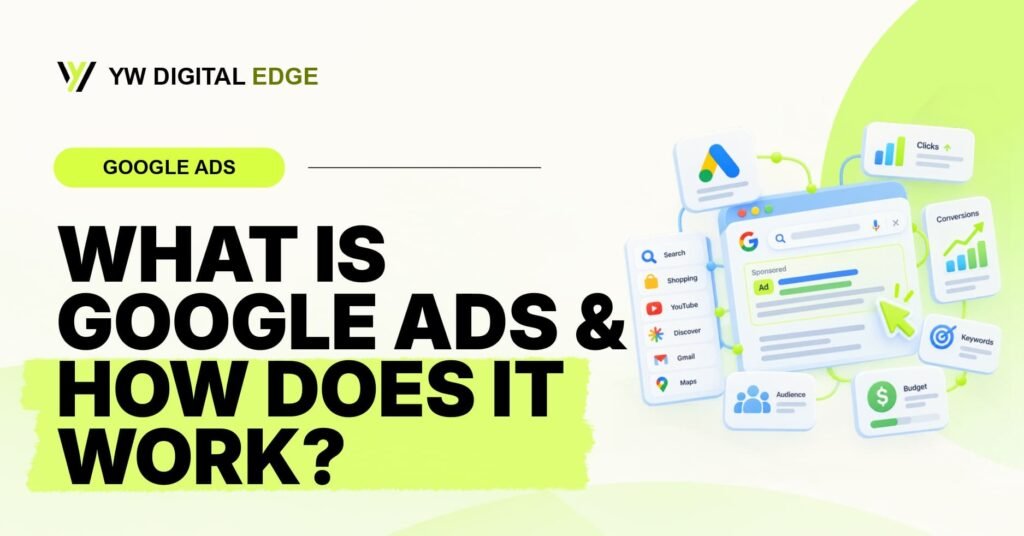
When someone searches Google for a service, product or solution, businesses can pay to appear in advertising placements connected to that search.
That is one of the most familiar uses of Google Ads, but the platform extends beyond Google Search. Businesses can also use Google Ads to reach potential customers across YouTube, Google Shopping, Discover, Gmail, Maps and other websites and apps, depending on the campaign type.
For a business owner using Google Ads for the first time, the important questions are usually practical:
- Where will the ads appear?
- Who decides which ad gets shown?
- How much will each click cost?
- How do you know whether the advertising is actually generating business?
Understanding these fundamentals makes it much easier to plan a campaign and evaluate its performance.
What Is Google Ads?
Google Ads is Google’s online advertising platform.
Businesses use it to promote products and services across Google’s advertising ecosystem. The advertiser chooses a campaign objective, targeting, budget and other settings, while Google determines when and where eligible ads can appear.
A Google Ads campaign can be designed around different goals, including:
- generating enquiries;
- increasing online sales;
- bringing visitors to a website;
- promoting products;
- increasing awareness;
- generating app installs or engagement.
The campaign type you choose affects where the ads can appear and the formats available.
For many service businesses, Search campaigns are the most straightforward place to understand Google Ads because they connect advertising with searches people are already making.
How Does Google Ads Work?
Consider a simple example.
Someone searches:
emergency plumber near me
Several plumbing businesses may want their ads to appear for that search.
Google evaluates eligible ads through an automated auction. This happens when an advertising opportunity occurs, such as when someone performs a search.
The basic process looks like this:
Search → Ad Auction → Eligible Ads → Ad Placement → Click → Landing Page → Conversion
The advertiser does not simply buy a permanent position at the top of Google.
Google determines whether an ad is eligible to appear and where it may appear based on the auction and a combination of factors.
How the Google Ads Auction Works
For Search ads, an auction can happen whenever someone performs a relevant search.
Google uses Ad Rank to determine whether an ad is eligible to appear and how it ranks relative to other eligible ads.
The amount an advertiser is willing to bid matters, but the highest bidder does not automatically receive the highest position.
Google’s ad auction considers factors including:
- the advertiser’s bid;
- the quality of the ad and landing page;
- Ad Rank thresholds;
- competitiveness of the auction;
- the context of the person’s search;
- the expected impact of ad assets and other ad formats.
This creates an important principle for advertisers:
A larger budget can create more opportunities, but relevance and quality still influence whether an ad can compete effectively.
For example, an ad closely related to the search, supported by a useful landing page, may compete differently from an ad that sends visitors to a generic homepage with little connection to their query.
What Are Keywords in Google Ads?
Keywords help Search campaigns connect advertising with relevant searches.
Suppose a business provides office cleaning services.
Its campaign might include keywords related to:
- office cleaning;
- commercial cleaning;
- office cleaning company;
- commercial cleaners near me.
When someone searches Google, the system considers the search and the advertiser’s keyword and targeting settings when determining whether an ad may be eligible to appear.
Keywords and Search Terms Are Different
This distinction is useful when reviewing a campaign.
A keyword is something an advertiser adds to a Search campaign.
A search term is what a person actually typed or searched for.
For example:
Keyword: office cleaning service
Search term: weekly office cleaning company near me
Reviewing search terms can reveal whether a campaign is attracting relevant searches or spending money on searches that are unlikely to produce customers.
What Happens When Someone Clicks Your Ad?
A click is only one stage of the process.
After clicking, the visitor usually arrives on a landing page or another relevant page on the advertiser’s website.
The journey might look like this:
Google Search → Ad → Website → Enquiry Form → Lead
For ecommerce:
Google Search / Shopping → Product Ad → Product Page → Checkout → Purchase
This is why Google Ads performance should not be judged only by clicks.
A campaign can receive plenty of traffic and still produce poor business results if:
- the searches are irrelevant;
- the ad creates the wrong expectation;
- the landing page is weak;
- the offer is unclear;
- the website is difficult to use;
- conversion tracking is incomplete;
- the campaign is targeting the wrong audience or location.
Ultimately, the useful question is not simply “How many people clicked?”
It is “What happened after they clicked?”
What Is a Conversion?
A conversion is an action that matters to the business.
Depending on the campaign, that could include:
- submitting an enquiry form;
- making a phone call;
- purchasing a product;
- booking an appointment;
- requesting a quotation;
- signing up;
- completing another valuable action.
Conversion tracking connects advertising activity with these outcomes.
Without reliable tracking, a campaign may show impressions, clicks and spend while giving the business very little information about whether those clicks generated meaningful results.
For lead-generation campaigns, tracking qualified enquiries can be particularly important. Ten leads that match the service and target market can be more valuable than fifty enquiries that are irrelevant.
Where Can Google Ads Appear?
Google Ads includes several campaign types, and each serves a different purpose.
Google’s current campaign type guidance includes Search, Performance Max, Shopping, Video, App and other advertising options across its ecosystem.
| Campaign Type | Typical Placement | Common Use |
|---|---|---|
| Search | Google search results | Leads, sales and high-intent searches |
| Performance Max | Across multiple Google channels | Conversion-focused cross-channel advertising |
| Shopping | Search and Shopping surfaces | Ecommerce products |
| Demand Gen | YouTube, Discover, Gmail and other supported surfaces | Visual discovery and demand generation |
| Video | YouTube | Awareness, consideration and conversions |
| App | Google properties and partner inventory | App installs and engagement |
Google’s campaign structure continues to evolve. For example, Google began moving Display advertising into Demand Gen in 2026, so the exact campaign options available in an account can change over time.
For a beginner, understanding the business goal should come before choosing a campaign type.
Search Ads: A Simple Example
Imagine a company offering kitchen renovation services.
Someone searches:
kitchen renovation company
A Search campaign could potentially show an ad related to that service.
The person clicks the ad and lands on a page explaining:
- kitchen renovation services;
- project examples;
- service areas;
- the renovation process;
- how to request a consultation.
If the visitor submits the enquiry form, that action can be recorded as a conversion.
The campaign can then be evaluated using information such as:
Search term → Click → Cost → Conversion → Lead quality
This provides much more useful information than looking at website traffic alone.
How Much Does Google Ads Cost?
Google Ads does not have one fixed advertising price.
Costs vary according to factors such as:
- industry;
- competition;
- location;
- keywords and search demand;
- campaign type;
- bidding strategy;
- targeting;
- ad and landing-page quality;
- business goals.
In Search advertising, cost-per-click is commonly referred to as CPC.
If a campaign spends $500 and receives 100 clicks:
Average CPC = $500 ÷ 100 = $5
But CPC alone does not tell you whether the campaign performed well.
Consider two campaigns:
| Metric | Campaign A | Campaign B |
|---|---|---|
| Spend | $500 | $500 |
| Clicks | 100 | 50 |
| Average CPC | $5 | $10 |
| Leads | 2 | 10 |
| Cost per Lead | $250 | $50 |
Campaign A generated cheaper traffic.
Campaign B generated much more efficient leads.
If lead quality is comparable, Campaign B is producing the stronger business outcome despite having the higher CPC.
This is why cheap clicks should not automatically be treated as successful advertising.
How Do Google Ads Budgets Work?
Advertisers control how much they are prepared to spend through campaign budget settings.
A campaign may, for example, have an average daily budget.
Google can spend more than the average daily budget on some days and less on others as demand changes, while applying its applicable spending limits.
Budget therefore controls the scale of the campaign, but it does not determine performance on its own.
A small budget focused on highly relevant searches may be more useful than a larger budget spread across weak targeting.
What Is Bidding?
Bidding tells Google how you want the campaign to compete for advertising opportunities.
Depending on the campaign and objective, bidding may focus on outcomes such as:
- clicks;
- conversions;
- conversion value;
- visibility.
Modern Google Ads campaigns increasingly use automated bidding and Google AI to make auction-time decisions.
This makes accurate conversion tracking particularly important. If a bidding strategy is designed to optimise for conversions, the quality of the conversion data being sent back to Google directly affects what the system has available to optimise toward.
Does Paying More Guarantee the Top Position?
No.
Google Ads is an auction, but the bid is only part of the calculation.
Google evaluates the bid together with factors such as ad and landing-page quality, auction competitiveness, search context and expected impact of ad assets.
A business therefore cannot treat Google Ads as:
Highest bid = automatic first position
A stronger campaign usually requires alignment between:
Search intent → Keyword / targeting → Ad → Landing page → Conversion
When those parts work together, the campaign has a better foundation for attracting useful traffic and generating results.
Google Ads vs SEO: What Is the Difference?
Google Ads and SEO can both generate visibility through Google, but they work differently.
| Google Ads | SEO | |
|---|---|---|
| Visibility | Paid placements | Organic search results |
| Cost per click | Can involve direct advertising cost | No direct payment to Google for organic clicks |
| Speed | Can begin generating visibility after campaigns become eligible and active | Usually develops over time |
| Control | Strong control over campaigns, targeting and budgets | Less direct control over rankings |
| Traffic after stopping | Paid traffic generally stops when advertising stops | Organic visibility may continue |
| Best suited to | Immediate demand capture, testing and scalable paid acquisition | Long-term organic discoverability |
Many businesses use both.
Google Ads can help capture existing demand quickly, while SEO builds organic visibility over a longer period.
The right allocation depends on budget, market demand, competition, website maturity and business goals.
What Should You Set Up Before Running Google Ads?
Launching a campaign should come after the basic measurement and website foundations are ready.
Before spending, check:
1. Define the business objective
Decide what the campaign should produce.
For example:
Generate qualified renovation enquiries
is more useful than:
Get more website visitors.
2. Identify what counts as a conversion
Determine which actions actually matter.
This might include calls, forms, bookings or purchases.
3. Check the landing page
Make sure the page clearly matches the ad and the user’s intent.
A person searching for commercial cleaning should not have to navigate through several unrelated pages to understand whether commercial cleaning is available.
4. Configure conversion tracking
Tracking should be tested before campaign performance is evaluated.
5. Define your target market
Decide:
- where customers are located;
- which products or services should be advertised;
- which searches matter;
- which searches should be excluded;
- what a valuable customer action looks like.
6. Set a realistic budget
The budget should provide enough opportunity to collect useful campaign data while staying within what the business can sustainably spend.
What Metrics Should a Beginner Watch?
Google Ads provides many metrics, but a new advertiser does not need to treat every column as equally important.
Start with the relationship between:
Impressions → Clicks → Cost → Conversions → Cost per Conversion → Business Outcome
Depending on the business, useful metrics can include:
| Metric | What It Tells You |
|---|---|
| Impressions | How often the ad was shown |
| Clicks | How often people clicked |
| CTR | Percentage of impressions that generated clicks |
| CPC | Average cost of traffic |
| Conversions | Number of tracked valuable actions |
| Conversion Rate | Percentage of interactions that produced conversions |
| Cost per Conversion | Advertising cost required to generate a conversion |
| Conversion Value | Value attributed to tracked conversions |
For lead-generation businesses, these platform metrics should eventually connect with actual lead quality and sales.
A campaign generating twenty enquiries is not necessarily better than one generating ten if most of those twenty enquiries are irrelevant.
Is Google Ads Suitable for Every Business?
Google Ads is particularly useful when there is a clear connection between the audience, the offer and the campaign objective.
Search campaigns can be especially relevant when people are already searching for the product or service.
For example:
emergency electrician
corporate tax consultant
office cleaning service
buy running shoes
all represent identifiable search demand.
Other businesses may need a different approach when customers are unlikely to search directly for the offer or when visual discovery and awareness play a larger role.
The campaign type should follow the customer journey and business objective.
Common Google Ads Mistakes to Avoid
Many early campaign problems come from the fundamentals.
Common issues include:
- sending every ad to the homepage;
- targeting searches that are too broad;
- ignoring search terms;
- failing to use negative keywords where appropriate;
- tracking the wrong conversions;
- treating every lead as equally valuable;
- judging performance only by clicks;
- making major changes before enough useful data is available;
- allowing irrelevant locations or audiences into the campaign;
- increasing budget before fixing weak campaign fundamentals.
More traffic does not automatically solve these problems.
The quality of the traffic and what happens after the click matter more.
Google Ads gives businesses a way to pay for visibility across Google Search and other Google advertising surfaces.
For Search campaigns, the basic process is straightforward:
Someone searches → Google runs an auction → an eligible ad may appear → the person clicks → the website has an opportunity to convert that visitor into a customer.
The real work happens in how those stages connect.
Relevant targeting brings the right people into the campaign. Strong ads set the right expectation. Useful landing pages help visitors take action. Conversion tracking shows what happened after the click.
Understanding these foundations gives you a much stronger starting point before moving into bidding strategies, campaign optimisation, automation or newer features such as AI Max.
Need Help With Google Ads?
YW Digital Edge is a Google Partner, providing practical support for businesses that need help planning, managing and optimising their Google Ads campaigns.
If you would like to discuss your Google Ads campaign, feel free to email us at hello@ywdigitaledge.com.